Internal Concept
Waveline
A smart audio workspace that organises, tags and preps samples before they ever reach the DAW.
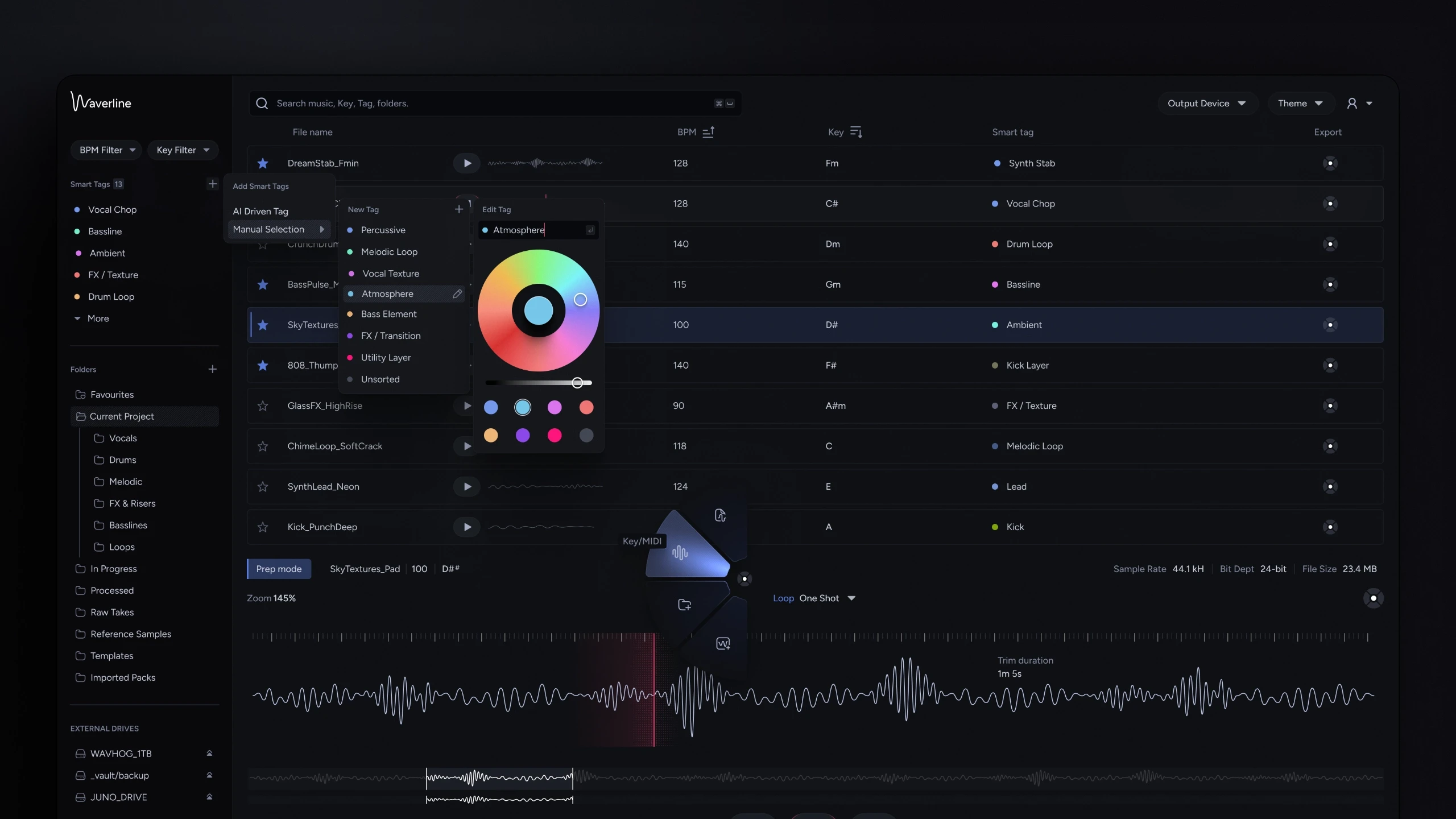
Project overview
Client
Internal Research
Industry
Audio Software
Role
Product Design
Duration
1 Week
Every producer has the same graveyard. Thousands of samples spread across folders, external drives and half-remembered downloads, named things like KICK, PUNCH, DRAMA and organised by nothing at all. The tools for making music are extraordinary. The tools for finding the sound you already own barely exist.
Waveline is a smart audio workspace designed to close that gap. AI-powered tagging listens to the music itself and organises by what a sample is bassline, vocal chop, ambient texture, not what it happens to be called. Lightning-fast search, BPM and key filtering, and a prep area built for speed mean a producer can find, audition, trim and export a sound without ever breaking creative flow.
Challenge
File management is the least musical task in music production, and every existing answer makes the producer do the work manual tags, manual folders, manual naming discipline that nobody maintains past week two.
The design challenge ran in two directions at once. First, make organisation effortless enough to actually happen: tagging had to work at the scale of a real library, not one file at a time. Second, give the workspace an identity of its own, a sample manager lives next to the most visually rich software on a producer's machine, and generic controls would make it feel like a utility rather than an instrument.
Design Principles
Let the audio do the filing
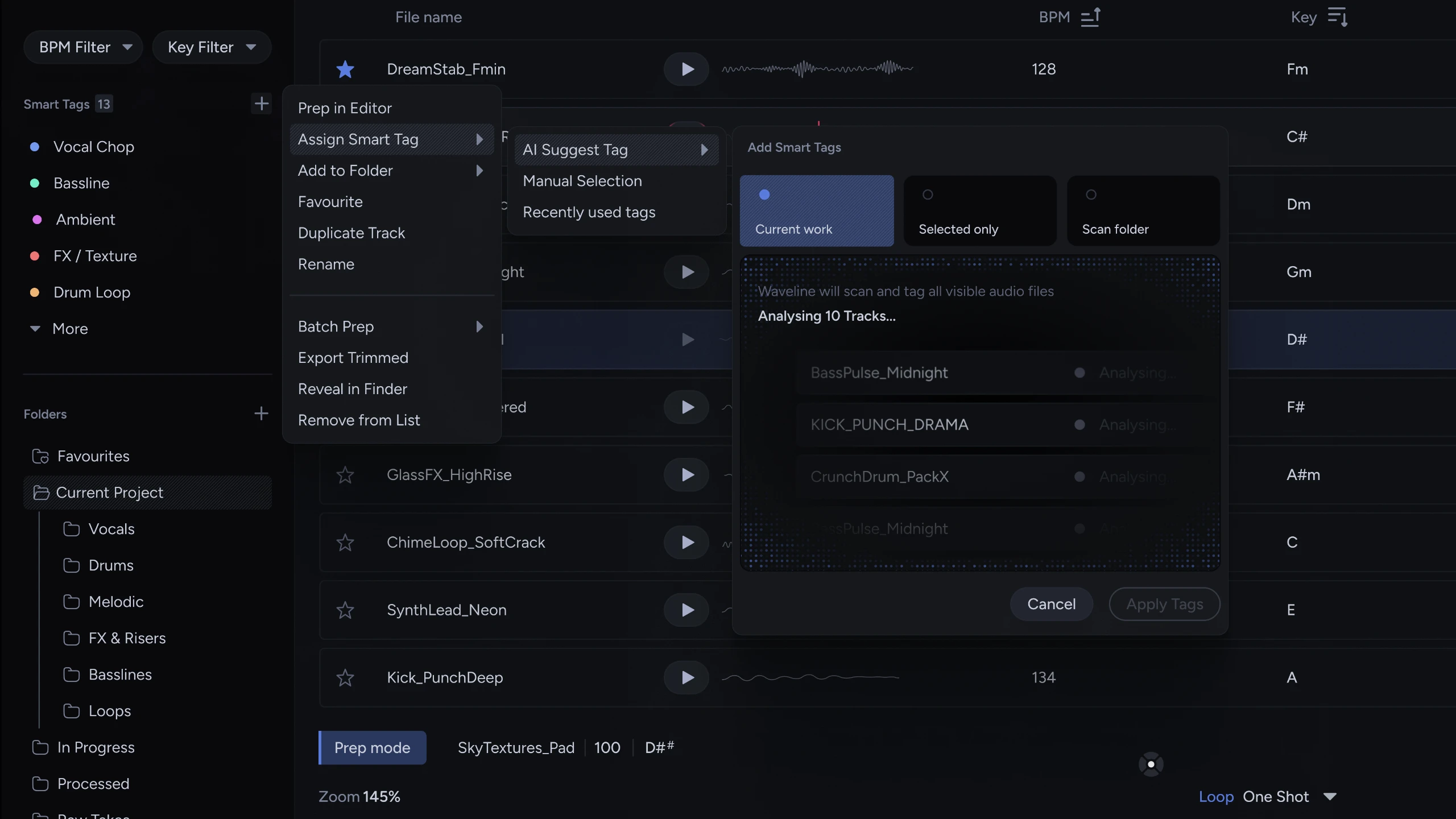
AI tagging listens to the track and assigns what it hears. Current work, selected tracks, or an entire scanned folder the burden of organisation moves from the producer to the tool.
Prep before the DAW, not inside it
Trimming, looping and normalising a sample shouldn't cost a project timeline. Waveline's prep area handles the shaping work in the library, so what lands in the DAW is already the sound you meant.
Controls with a signature
The dial system was designed from scratch to give Waveline a physical identity of its own, tactile, legible in motion, and unmistakably not borrowed from anyone else's plugin.
Key Decisions
Smart tagging at three scopes
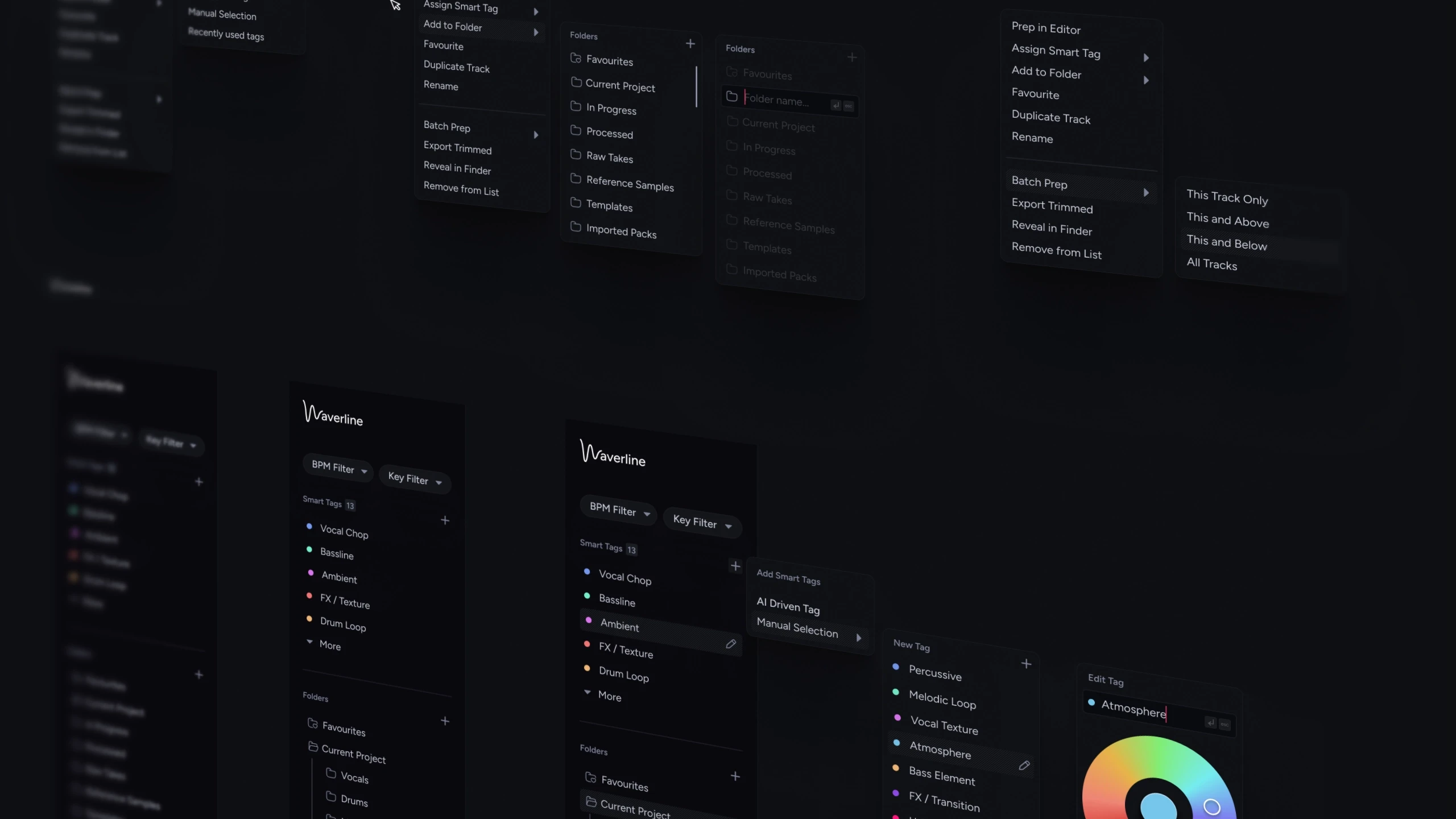
One mechanism, three ranges: tag the current work, tag only what's selected, or scan an entire folder and let the AI analyse everything in it. The scope selector makes bulk organisation a single decision rather than a hundred small ones.
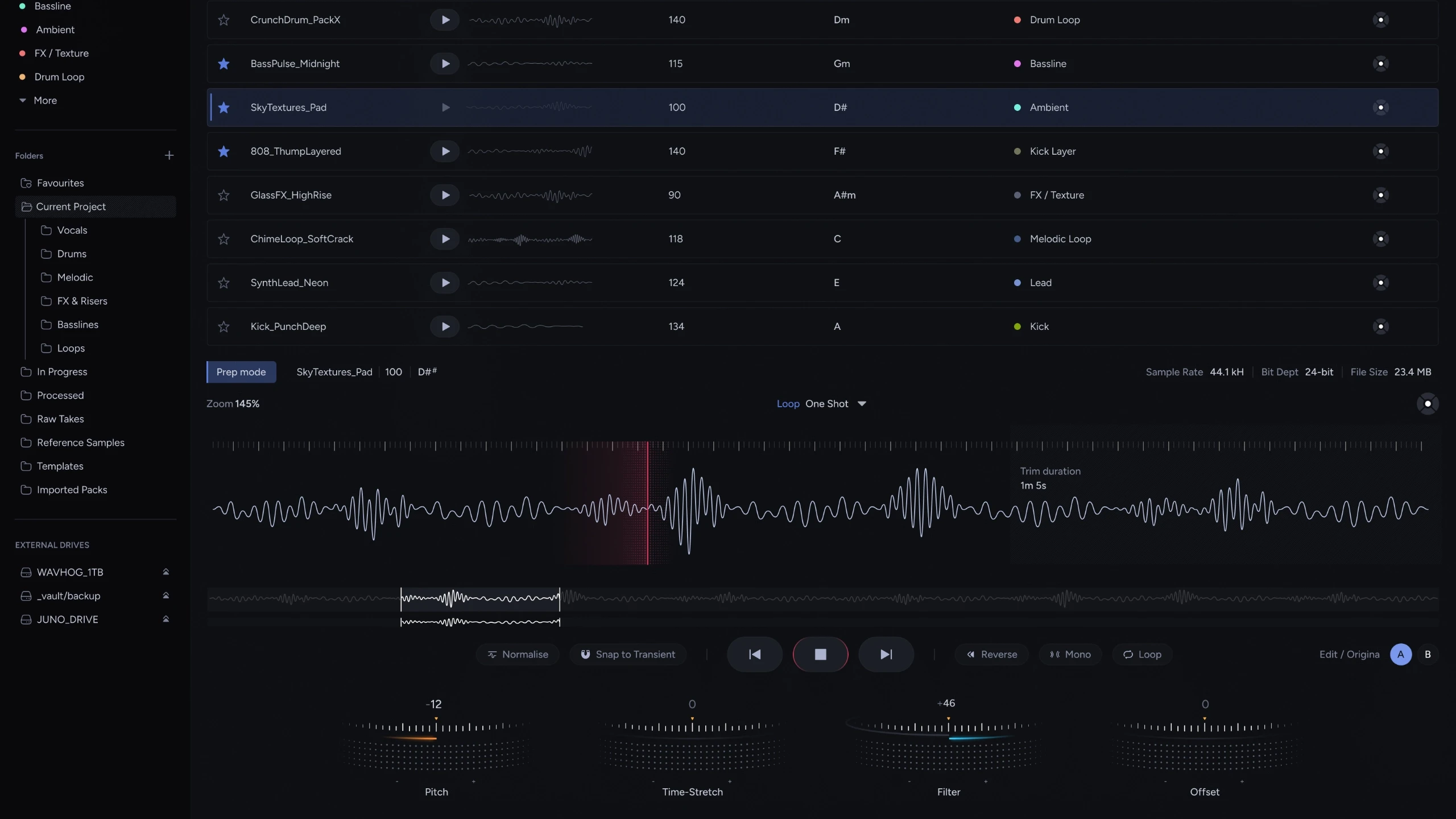
The library and the editor share one screen
Prep mode lives directly beneath the file list, not behind a mode switch or a separate window. Selecting a track loads it instantly into the waveform editor, browse, audition and shape without losing sight of the library.
Transient-aware editing
Snap to Transient and Normalise sit one tap from the waveform, with loop and trim regions handled directly on the audio. The edits producers actually make before dropping a sample into a session the top four, not forty are the entire toolset.
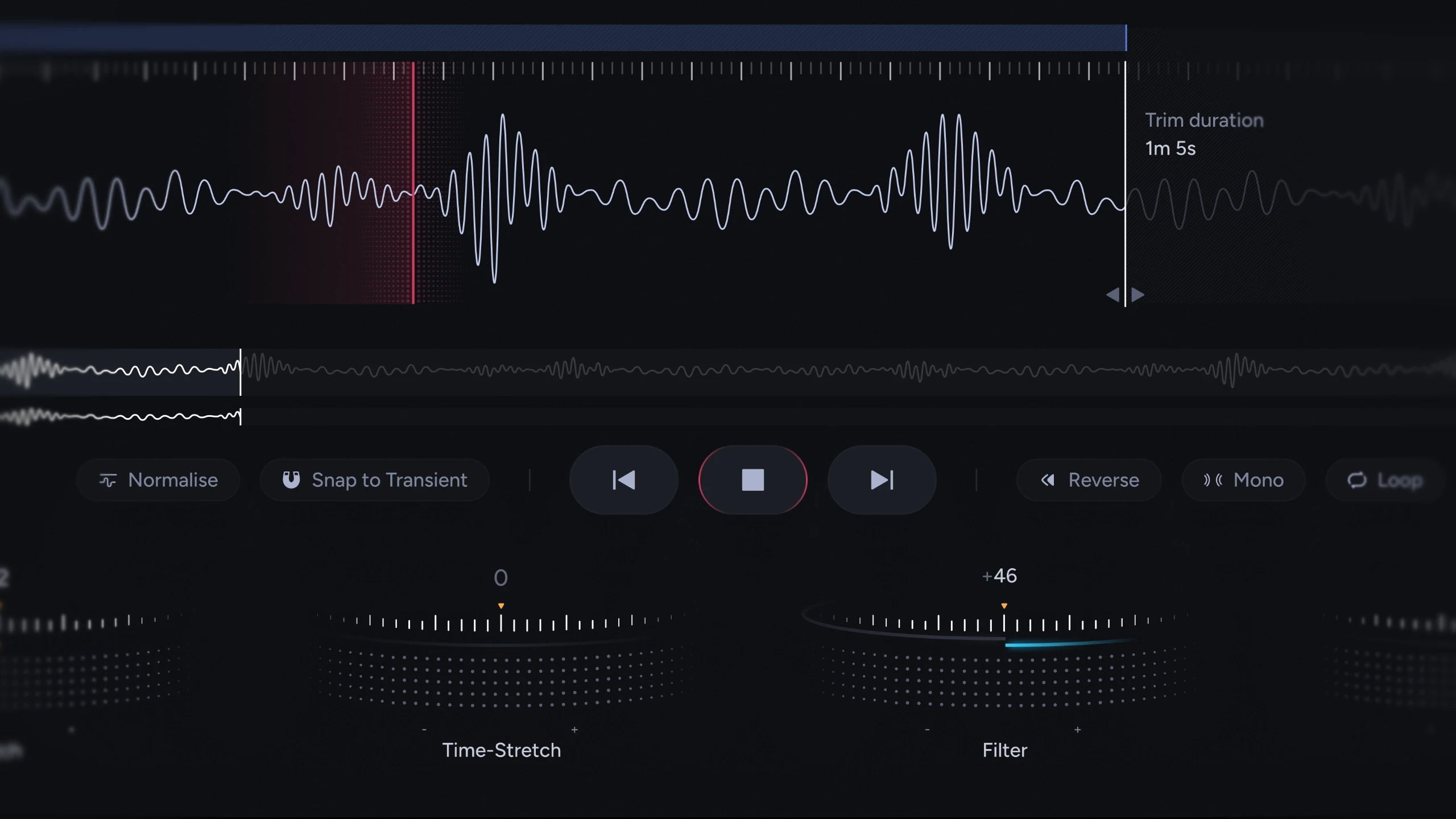
A dial language built for the product
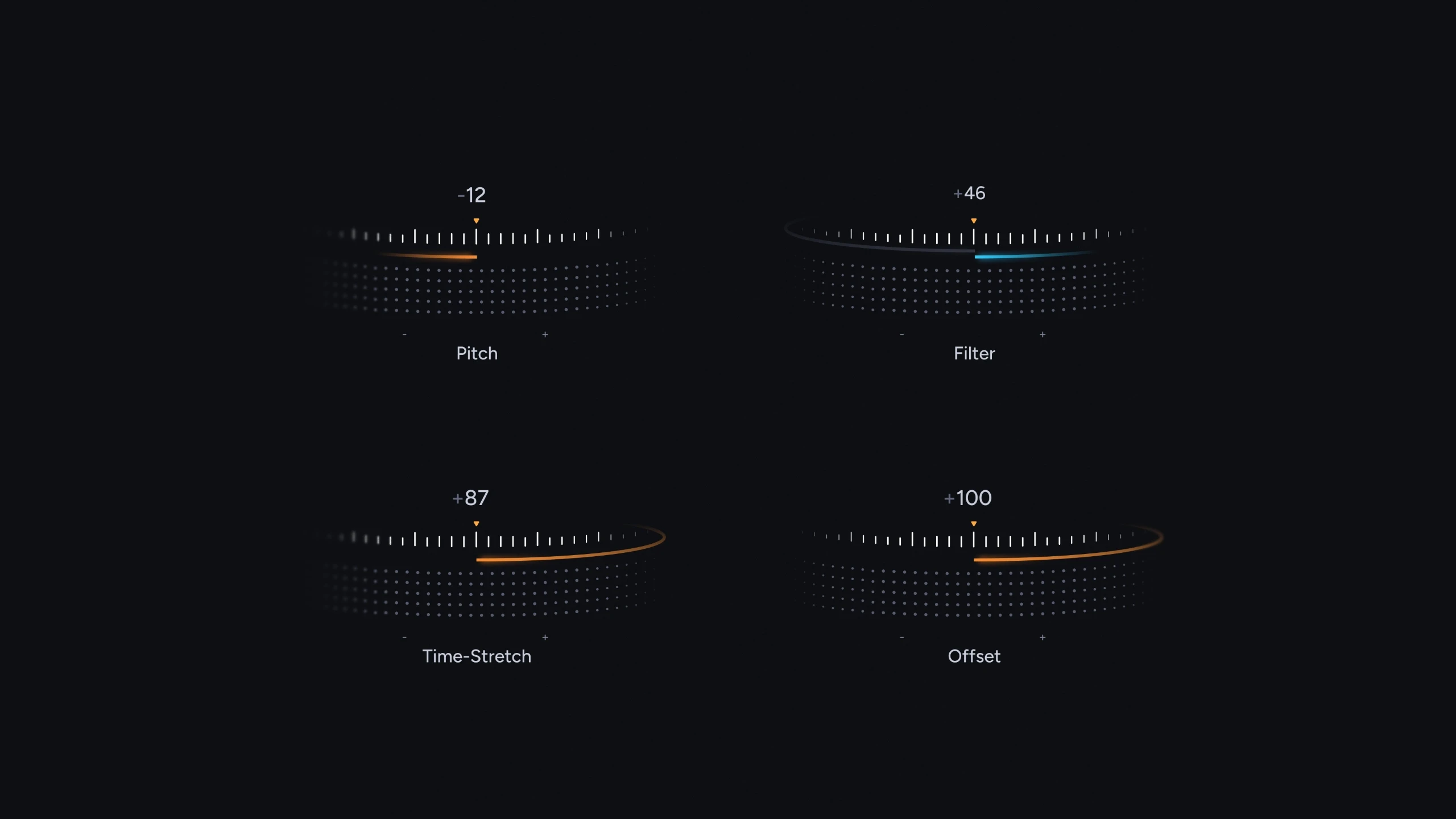
Pitch, Time-Stretch, Filter and Offset use a custom dot-matrix dial design, an arc of illuminated points with a value readout, built to be read at a glance mid-session. It's the product's handshake: the first thing that tells you Waveline isn't another file browser.
Scaling the system
An identity in the details
he dial system anchors Waveline's visual language dot-matrix arcs, precise value states, and a restrained dark palette that keeps colour reserved for meaning: smart tags, waveform markers and active states. The interface stays quiet so the library can stay loud.
Outcome
Waveline was designed end-to-end in a week a complete workspace concept covering library, tagging, prep and export, now planned for development.
What Shipped
Full workspace UI: library, search, filtering and folder system
AI smart tagging flow across three scopes
Prep mode with waveform editing, looping and transient tools
Custom dial system and interaction language
Export flow with before/after preview
Impact
Concept to complete design in one week
A tagging model no existing sample tool offers
In Development
Reflection